Transcription · Notes · AI
Recording to usable notes
Live recording, file upload, or URL. Transcript, templated notes, insights, and AI chat
Not used for AI training · Stored in Japan · Encrypted
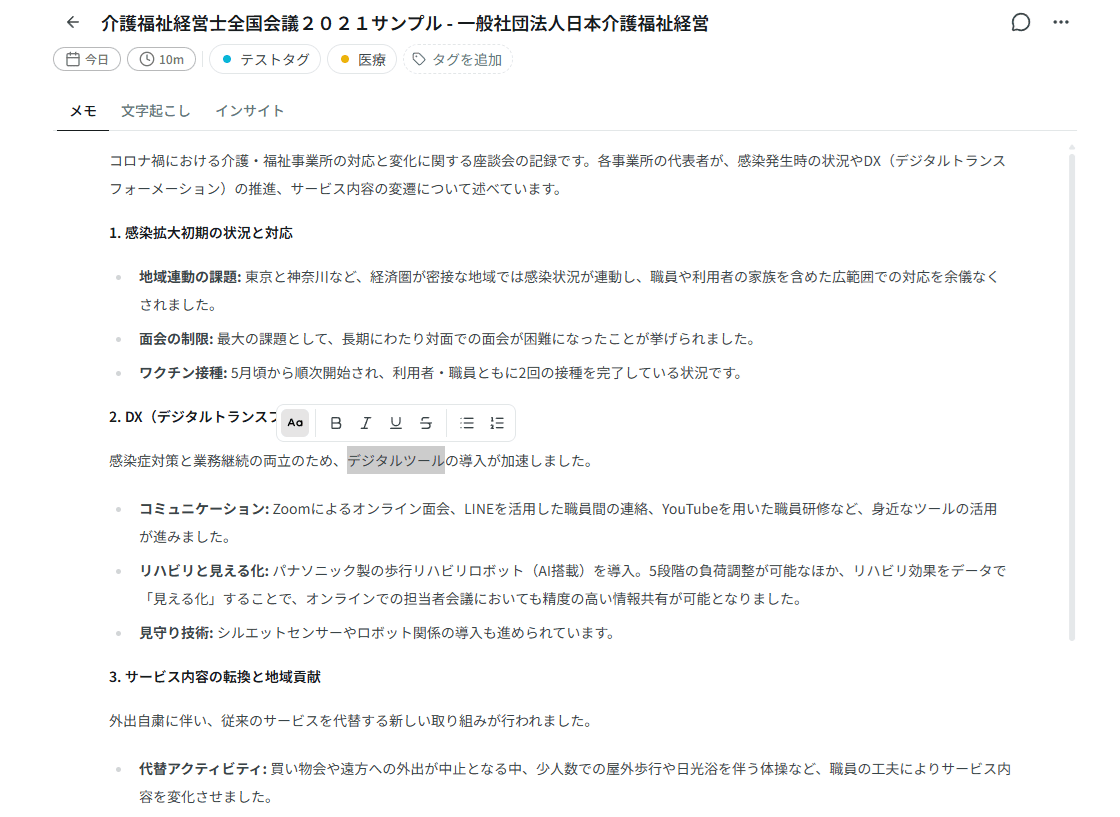
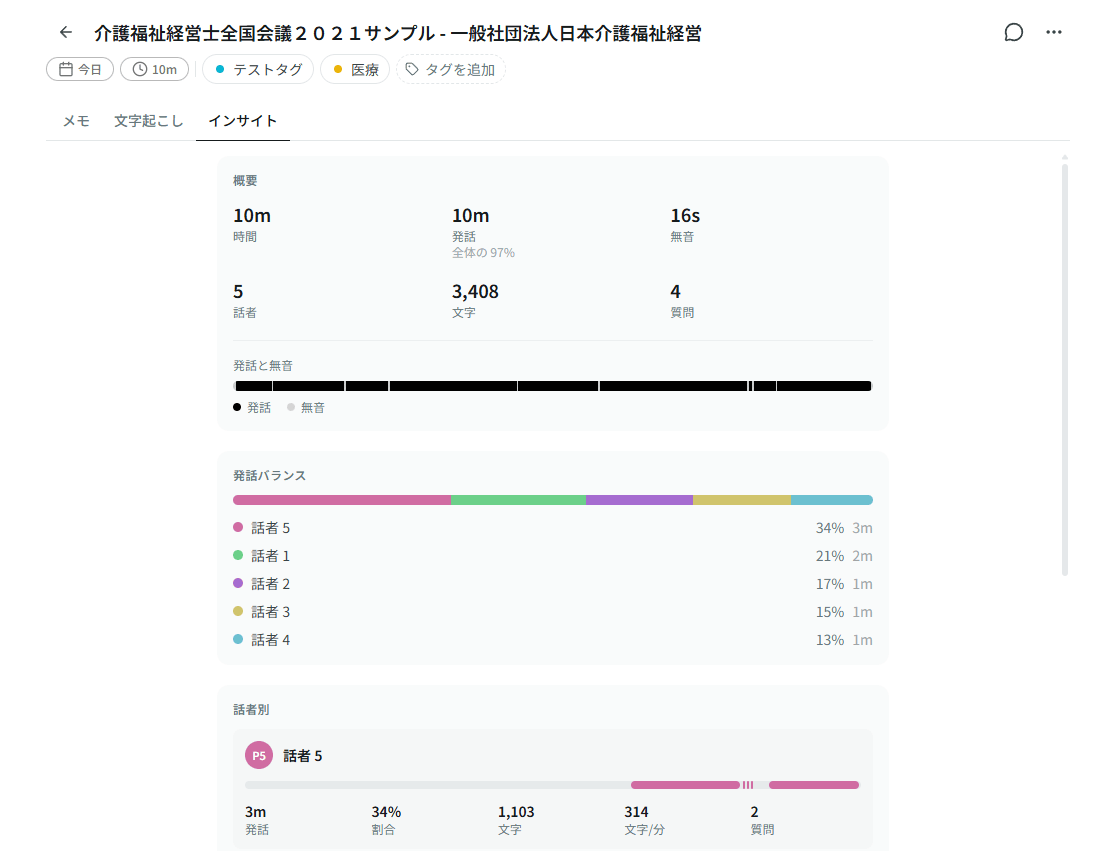
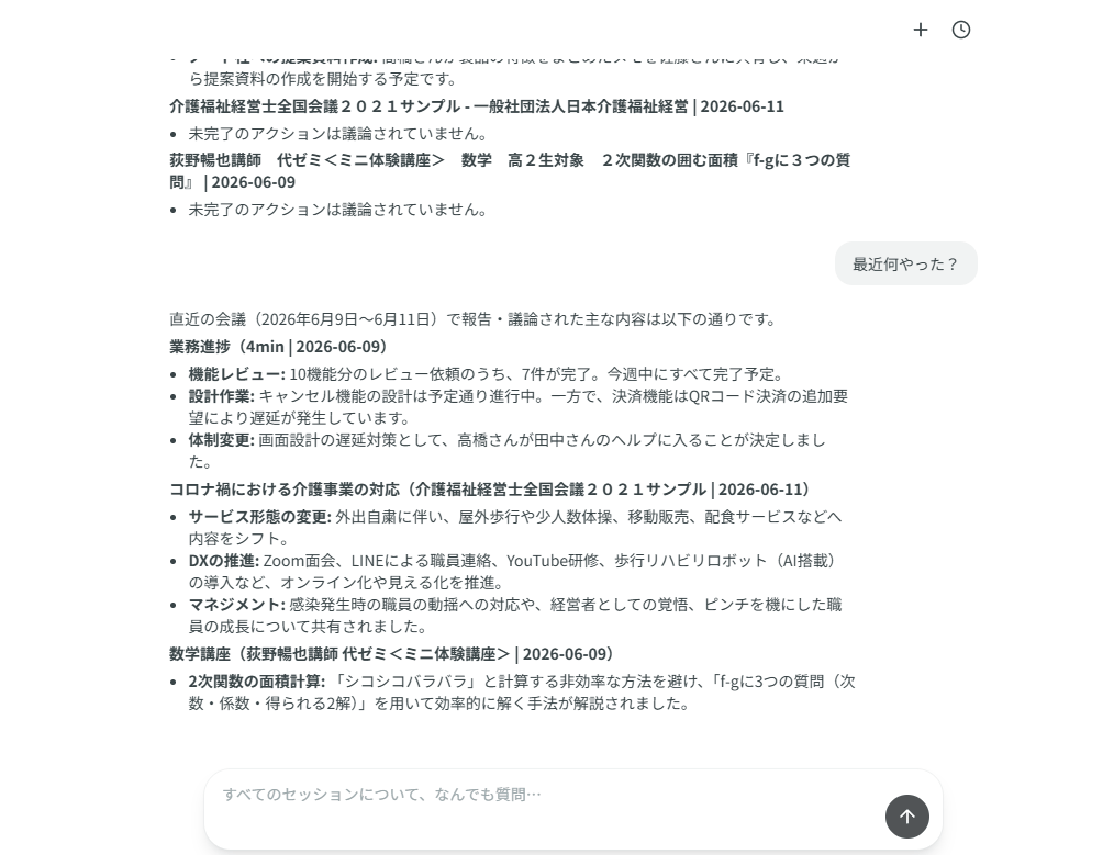
One recording. Four views.
Same session, different lens. Don’t stop at the transcript: read, edit, scan, and ask.
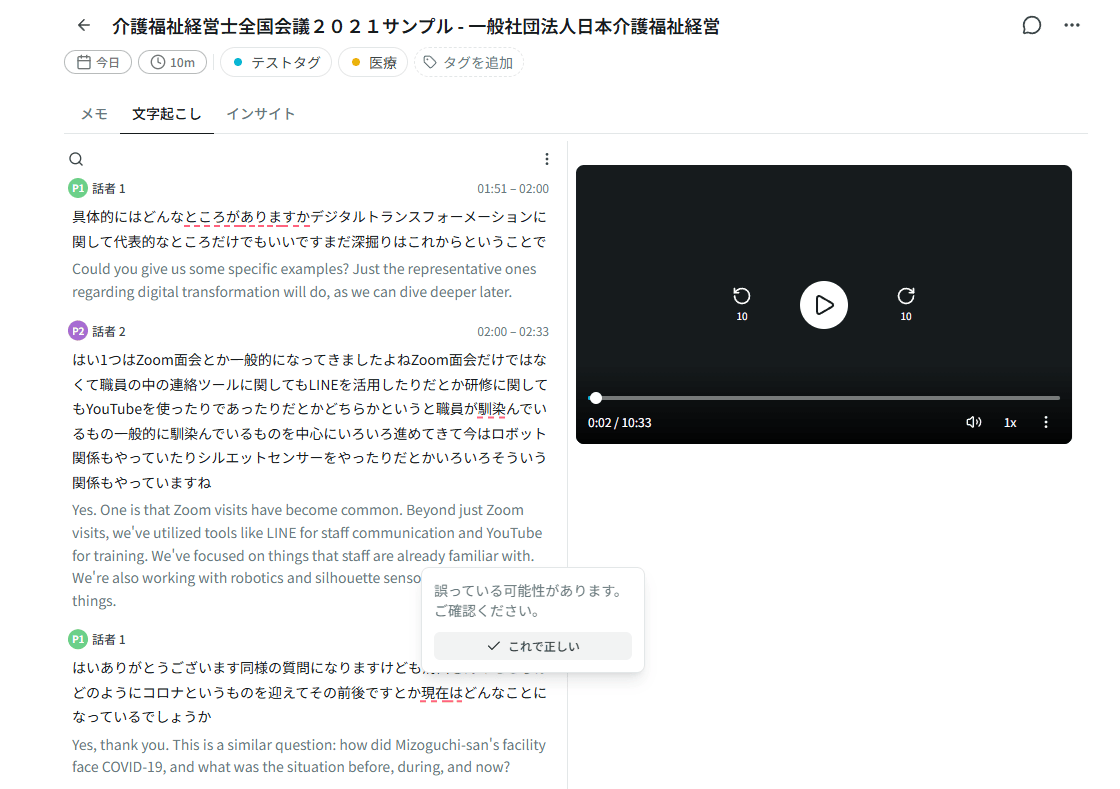
Transcript
Speech, pinned to time.
Speaker diarization, word-level timestamps, karaoke sync with playback. Flag low-confidence words inline.
Speech, pinned to time.
Speaker diarization, word-level timestamps, karaoke sync with playback. Flag low-confidence words inline.
How we handle your data

We process audio, transcripts, and notes. Storage and access are constrained by design, not bolted on later.
- Audio, transcripts, and notes are not used to train our models or provider models we rely on.
- Customer data is stored on infrastructure in Japan, in principle.
- HTTPS between your browser and Sumarii. Stored data is encrypted at rest.
- Sign-in required. Data is scoped to workspaces with row-level security on the database.
- Audio files are not on permanent public URLs. Access uses short-lived signed URLs only.
What we do well
Transcription-first workflows need accuracy, clarity, and steady improvement. That is where we focus.
-
Transcription and diarization
STT and speaker labels are our top priority. Word-level timestamps, playback sync, and inline review of low-confidence words. We don’t cut corners here.
-
UI you can follow
Record → transcript → notes is one straight path. We’d rather keep the screen obvious than pile on features.
-
Only what you need from the transcript
Ready-made templates for meetings, lectures, podcasts, and more. Or write your own and pull out exactly what you want.
Common questions
Quick answers on things we don’t spell out elsewhere on this page.
What can I record or upload?
Which languages does transcription support?
Is there a desktop app?
Is Sumarii free?
Can my team share a workspace?
Can I export transcripts and notes?
When will paid plans launch?
Try one recording first.
Create an account and start a session right away.
- No credit card required
- 6 hours of free transcription per month
- Generous free AI usage for notes, chat, translation, and more
- Very fast transcription and note generation
- Best transcription quality on the market
- Simple to use, with a clean UI
- Your feedback shapes the product