Generic AI transcription
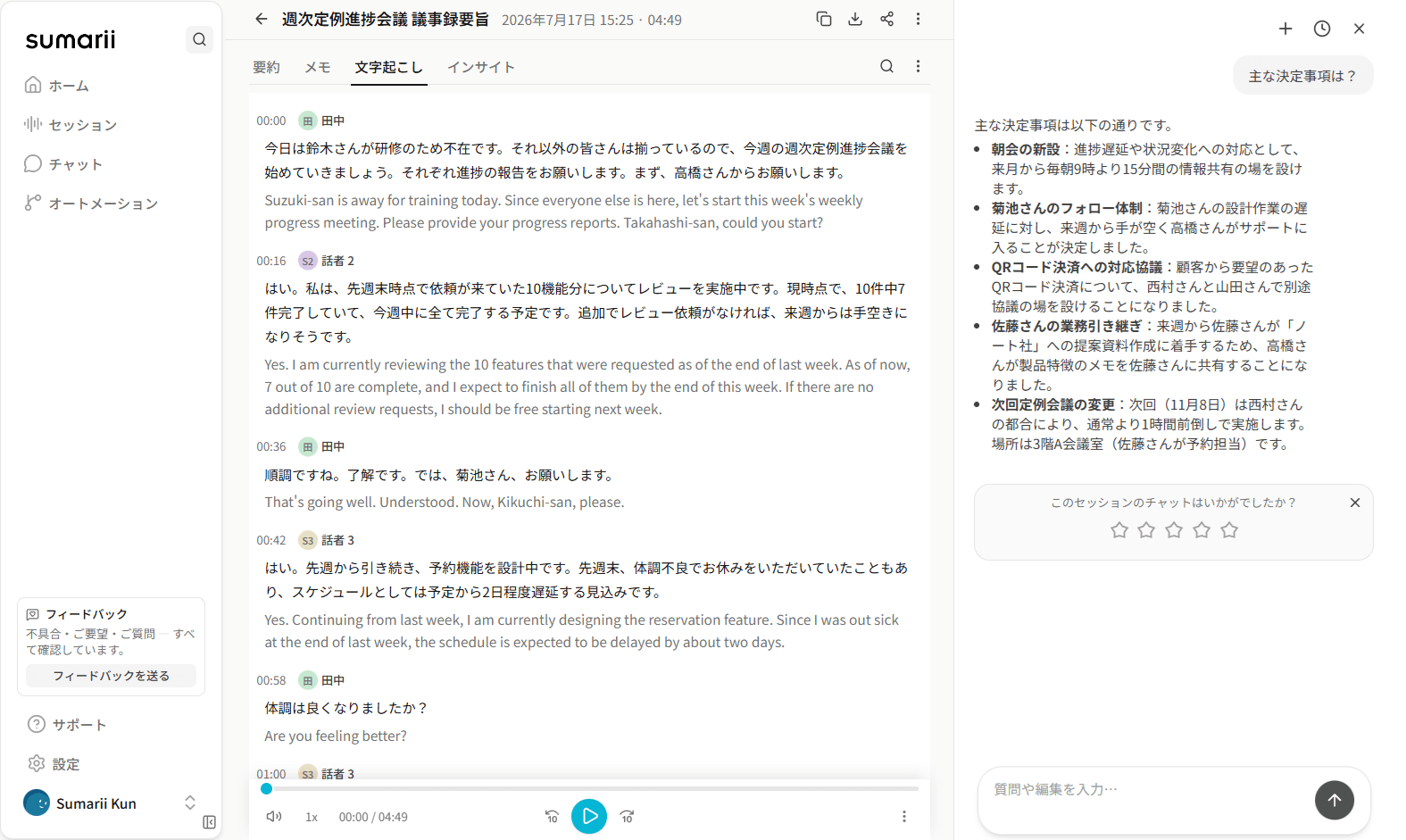
先週末時点で依頼が来ていた10期納聞についてレビューを実施中です。現時点で、出見中7件完了していて、講習中に全て完了する予定です。
From recording, file, URL, or meeting-bot invite to summary, personal notes, AI chat, editing, and export.Templates for meetings, lectures, and podcasts.
No credit card · 3 hours free / month
Scrub back, fix the names by hand, scrub back again.
Transcript
“…let’s lock the sails forecast by Friday.”
AI summary
• Final sails forecast due Friday
One misheard term, and the summary states it as fact.
Transcribe here, notes there, AI chat somewhere else.
Export here, paste there, rewrite once more before sharing.
No results in 23 recordings
You know it was said. You just can’t find where.
Same wall of bullets, whatever the meeting was.
Sumarii puts the whole loop in one place.
Wrong wordswrong summary
We fix the first step.
Good meeting notes need accurate transcription. Sumarii started by pushing transcription quality first. Get the words right, and summaries, chat, and exports actually work.
Accuracy and quality matter. Sumarii is built to get the words right.
example.wav
0:00 / 0:00先週末時点で依頼が来ていた10期納聞についてレビューを実施中です。現時点で、出見中7件完了していて、講習中に全て完了する予定です。
Speaker 3 · Takahashi0:17 – 0:31
先週末時点で依頼が来ていた10機能分についてレビューを実施中です。現時点で、10件中7件完了していて、今週中に全て完了する予定です。
example2.wav
0:00 / 0:00パナソニックさんがですね、ホコーリハビリロボットを春に今年リリースしておりまして、それを導入しました。〔…〕あとはご家族様やご親族、そしてキムマネージャーさんも、どういったリハビリー訓練をしてどれだけ効果があったのか…
Speaker 32:53 – 3:42
パナソニックさんが、歩行リハビリロボットを今年春にリリースしておりまして、それを導入しました。〔…〕あとは、ご家族様やご親族、そしてケアマネージャーさんも、どういったリハビリ訓練をして、どれだけ効果があったのか…
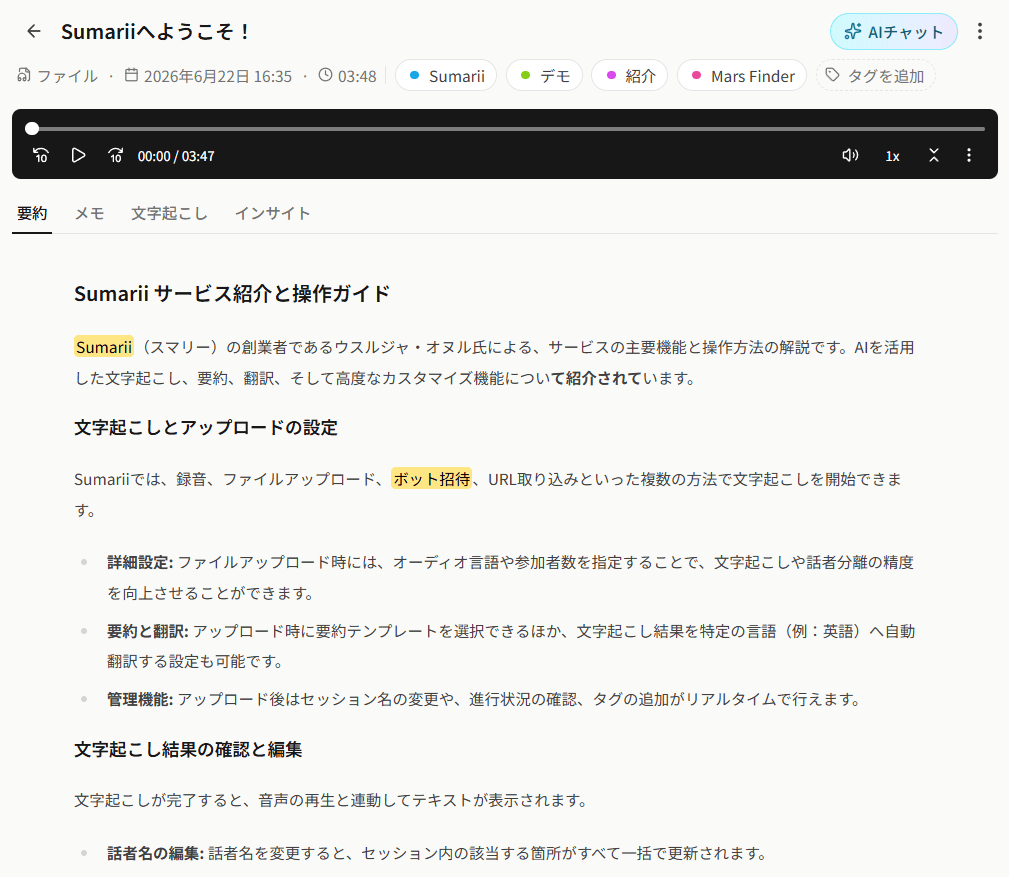
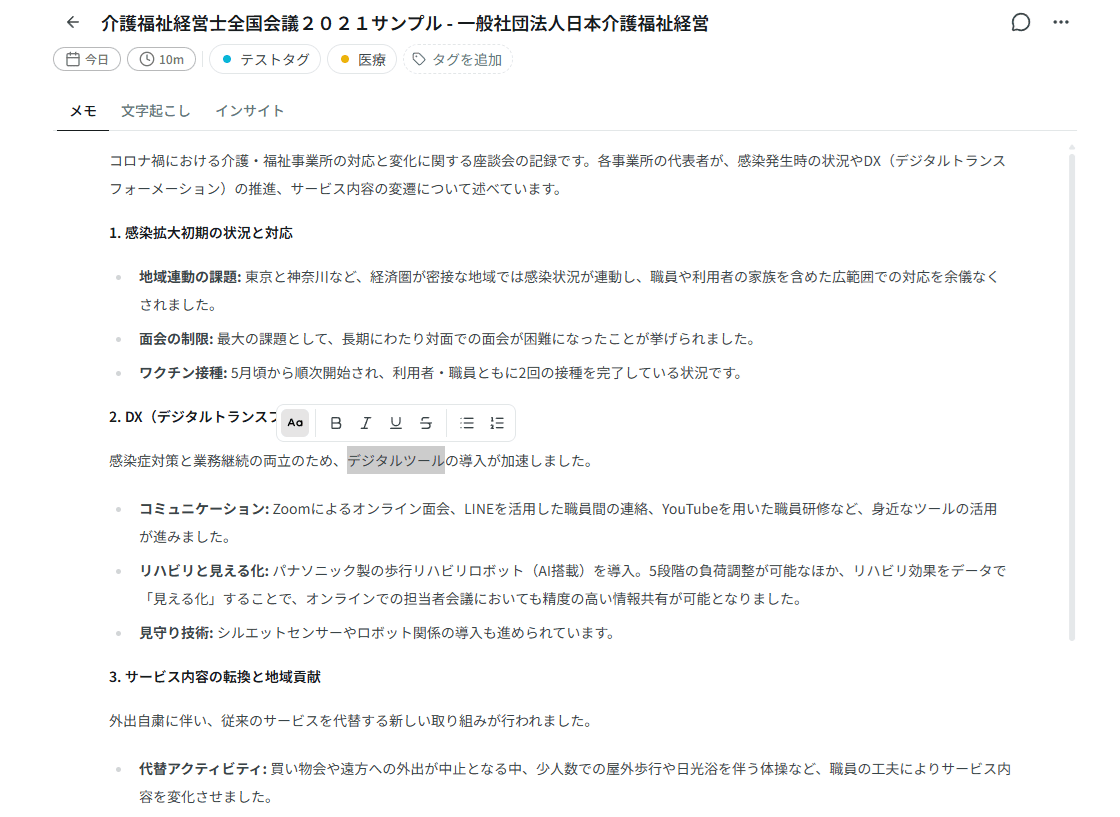
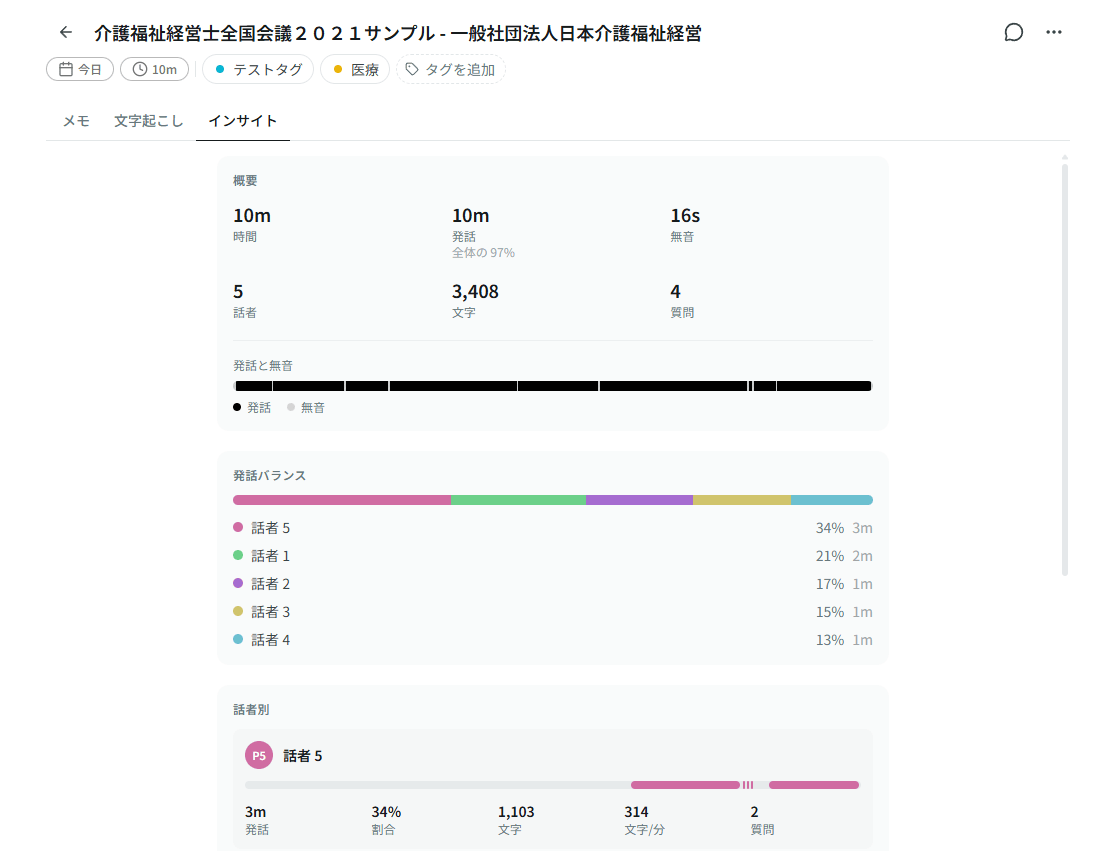
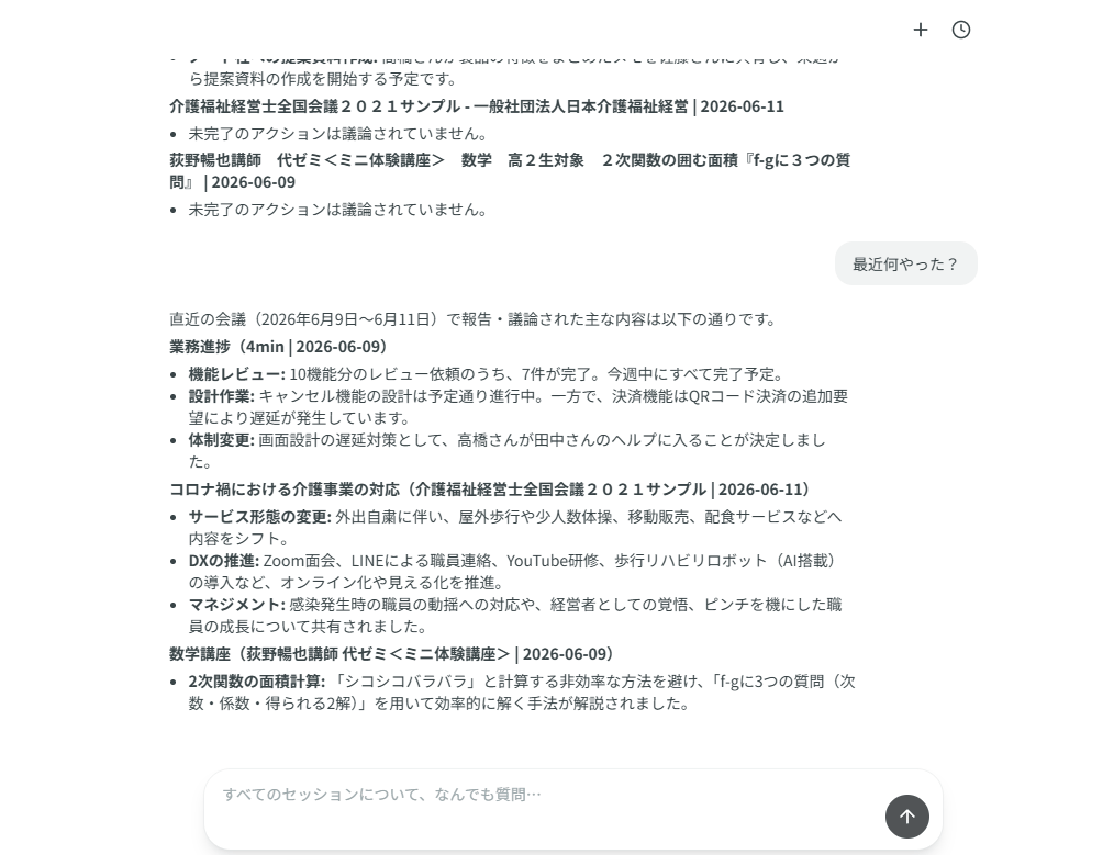
Switch the same session to fit the task: transcript, AI meeting notes, personal notes, insights, and chat.
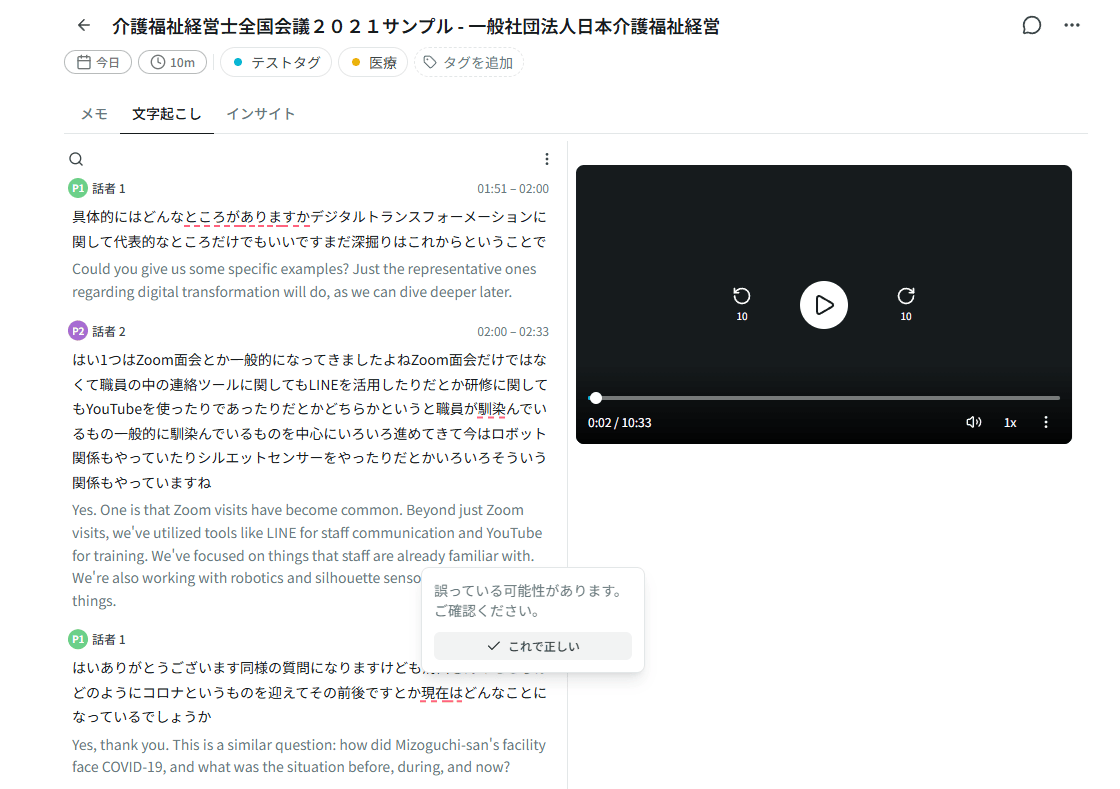
Speaker labels, word-level timestamps, karaoke sync with playback. Words we weren’t sure about are highlighted inline.
Remote calls, sales conversations, podcasts, training, standups. One place to search, summarize, and share what was said.
Desktop app records screen and system audio together. No bot required.
Verbal agreements and follow-ups you can actually find later.
Take raw audio through transcription before you hit the edit timeline.
Turn internal workshops and webinars into material people can revisit.
Leave the room knowing what happens next, not just what was discussed.
Keep the conversation, not just your impression of it.
Transcription is table stakes. Here is how Sumarii compares on the rest.
| Feature | Sumarii | AI chatbots | Meeting apps | Free tools |
|---|---|---|---|---|
| Cross-session search & chat | Hybrid keyword + vector search | Chat history, not transcripts | Within one platform | In-app only |
| Chat editing | Edit summary, transcript & translation in place | Rewrite in chat only | Manual edit only | |
| Edit history & rollback | Version history; restore earlier edits | Usually undo while editing | ||
| Session folders | Organize and filter anytime | Folders or channels | ||
| Input sources | Mic · file · URL · meeting bot | No meeting bot | Live meetings only | Mic or local file only |
| Custom vocabulary | Names & jargon | Re-prompt every time | ||
| Speaker labels | Automatic, easy renaming | Limited, no names | Attribution only | |
| Summary templates | Built-in + custom | Custom GPTs / Gems | Paid recap | |
| Export | txt · Word · Excel · CSV · SRT | Copy-paste | Limited formats | Varies |
We process audio, transcripts, and meeting notes. Storage and access are constrained by design, not bolted on later.
No AI training
Audio, transcripts, and notes are not used to train our models or provider models we rely on.
Japan-hosted storage
Customer data is stored on infrastructure in Japan, in principle.
Encrypted in transit & at rest
HTTPS between your browser and Sumarii. Stored data is encrypted at rest.
Workspace isolation
Sign-in required. Data is scoped to workspaces with row-level security on the database.
Signed URLs only
Audio files are not on permanent public URLs. Access uses short-lived signed URLs only.
Take your data with you
Export sessions as docx, txt, srt, or audio files anytime.
We packed in the features you’ll actually use, from transcription capture to custom vocabulary, cross-session search, and export.
Rename speakers, fix transcript text, update summary and notes, regenerate the summary, or retranslate in plain language, with a preview before anything changes.
Talk time, pace, and question count, all computed instantly in the browser so you can read the shape of a conversation at a glance.
Choose a built-in structure or create your own markdown template, then reuse it across sessions.
Open two tabs side by side — summary with transcript, or any other pair — and drag to resize.
Read-only links with toggles for summary, transcript, and recording. Personal notes are never shared, so share with confidence.
Pick summary, notes, transcript, or translation, then export as txt, Word, Excel, CSV, or SRT.
Speaker labels, word timestamps, and karaoke playback. Click to seek, review low-confidence words, edit inline.
Edits are saved as versions. Compare changes and restore an earlier version anytime.
Mic recording, file upload, media URL, or meeting-bot invite (Zoom / Meet / Teams).
Group sessions into folders, color-code them, and move sessions between folders anytime.
Japanese, English, Chinese, Korean, and 95 more. Auto-detect if you’re not sure.
Play/pause, seek, speed, tab switch, and AI chat, all from the keyboard.
Deleted sessions stay in the trash temporarily before they’re gone for good.
Fix a misheard name or term across the whole transcript at once.
Register names and jargon to improve transcription accuracy.
Hybrid vector and keyword search across all your recordings.
Map diarization labels to people in your workspace roster.
Ask about one session or search across your whole workspace.
Your own private tab. Take notes while recording.
Auto-suggested from summaries; attach and filter manually.
Template-based markdown. Edit inline or regenerate.
Translate the full transcript to another language.
Free plan, no credit card. Pro from ¥1,980/month.
¥0
3 hours/month · up to 5 hours per recording · generous AI.
¥1,980/ month
20 hours/month · up to 5 hours per recording · expanded AI.
Coming soon
Shared sessions and dictionary for your team. (Coming soon)
From audio to a shareable summary in three steps.
Record with your mic, upload a file, paste a media URL, or invite the meeting bot to Zoom, Meet, or Teams.
You get a speaker-labeled transcript synced to playback, plus an AI summary in the template you pick.
Fix words inline, chat with AI, organize sessions into folders, roll back edits from history, then share a link or export as txt, Word, Excel, CSV, or SRT.
Quick answers on things we don’t spell out elsewhere on this page.
Open ChatGPT, Claude, Perplexity, or Grok with a ready-made prompt. Get an honest take before you sign up.
Opens in a new tab. You may need to be signed in. Prompt prefills when the AI supports it.